


What if I told you that in our recent workshop, we built a fully functional Pokemon game, a professional medical clinic landing page, and a modern note-taking app—all without writing a single line of code manually?
That's exactly what happened. And you can do it too.
In this workshop, we explored the revolutionary world of AI-powered vibe coding—where your ideas transform into working websites in minutes, not months. Here's everything we covered, the tools we used, and how you can start building today.
The Big Shift: From 300 Hours to 2 Hours
Remember when building a website required:
• A founder with the idea
• A product manager to write requirements
• A designer to create mockups
• Frontend and backend developers
• A QA engineer to test everything
That's 5 people working for 8 weeks—roughly 300 person-hours of work.
Today? One person with an idea can go from concept to deployed website in under 2 hours. That's a 150x productivity boost.
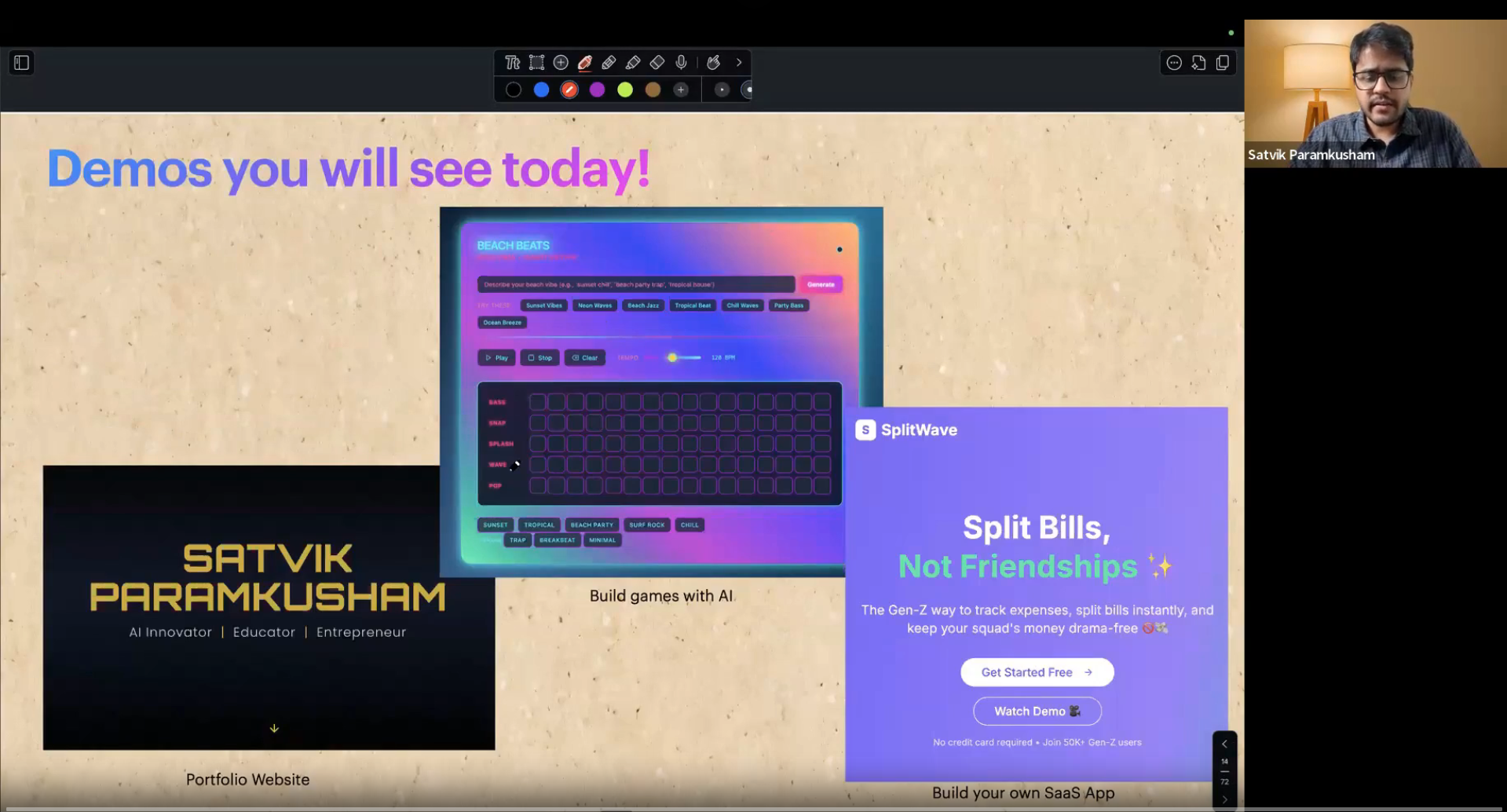
What We Built (Live, In Front of 200+ People)
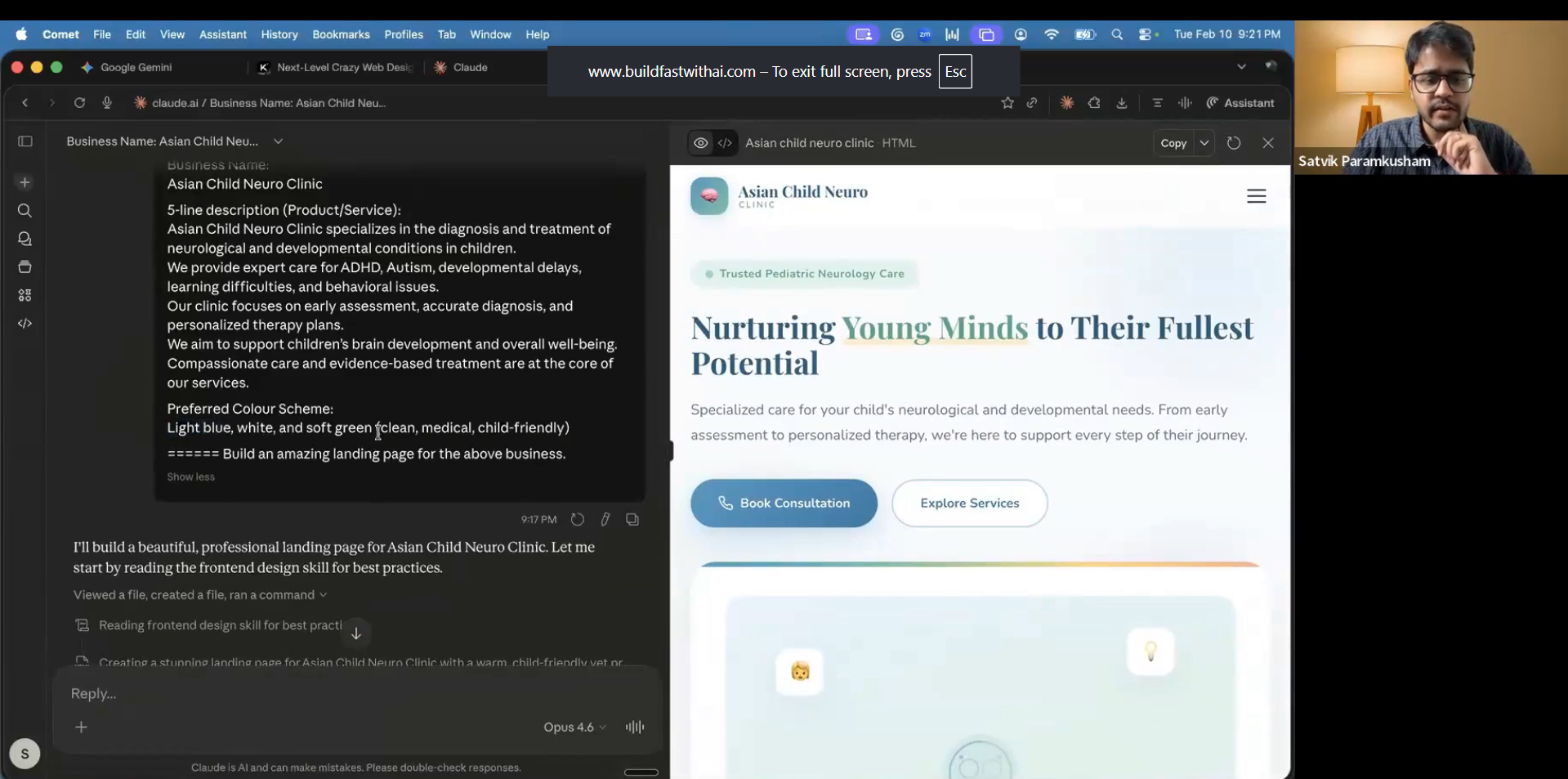
1. A Child Neurology Clinic Landing Page
Tool used: Claude with Artifacts
Time taken: 5 minutes
One of our participants shared their idea for a child neurology clinic website. They wanted specific colors (light blue, white, and soft green) and a clean, medical, child-friendly design.
We simply pasted their requirements into Claude and said: "Build an amazing landing page for the above business."
What happened next:
• Claude generated 400+ lines of HTML, CSS, and JavaScript
• The page included testimonials, service sections, and CTAs
• All in the exact color scheme requested
• We added a contact form with one more prompt
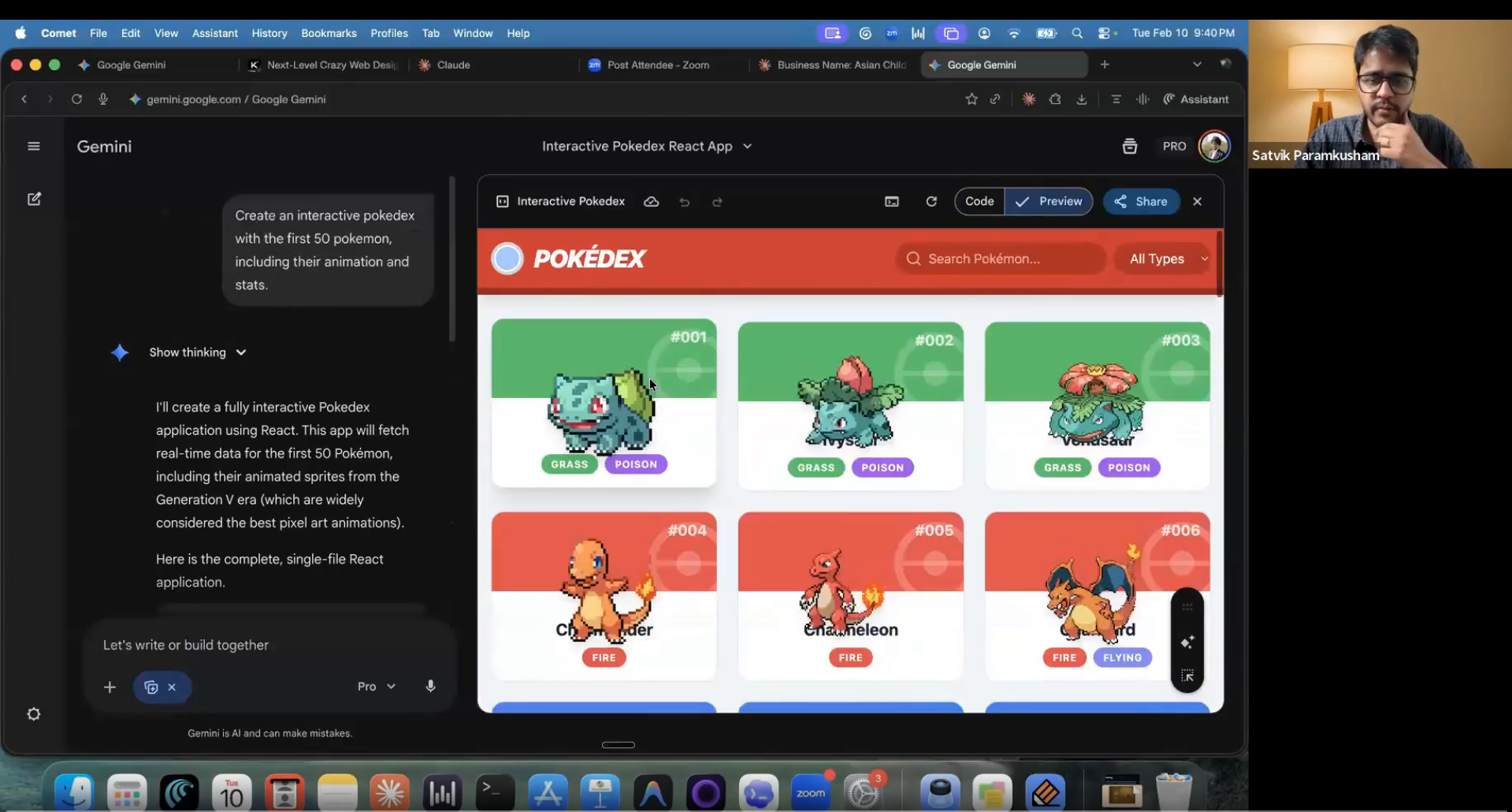
2. A Working Pokemon Card Game
Tool used: Gemini with Canvas
Time taken: 3 minutes
To show the creative side of vibe coding, we built an interactive Pokemon game using Google's Gemini.
The prompt: "Build a Pokemon game using AI"
The result:
• A complete Pokedex with 50 Pokemon cards
• Interactive card flipping animations
• Fully playable in the browser
• Shareable link generated instantly
The audience was stunned. This wasn't just a static page—it was a functioning game with logic, animations, and state management. All from one simple prompt.
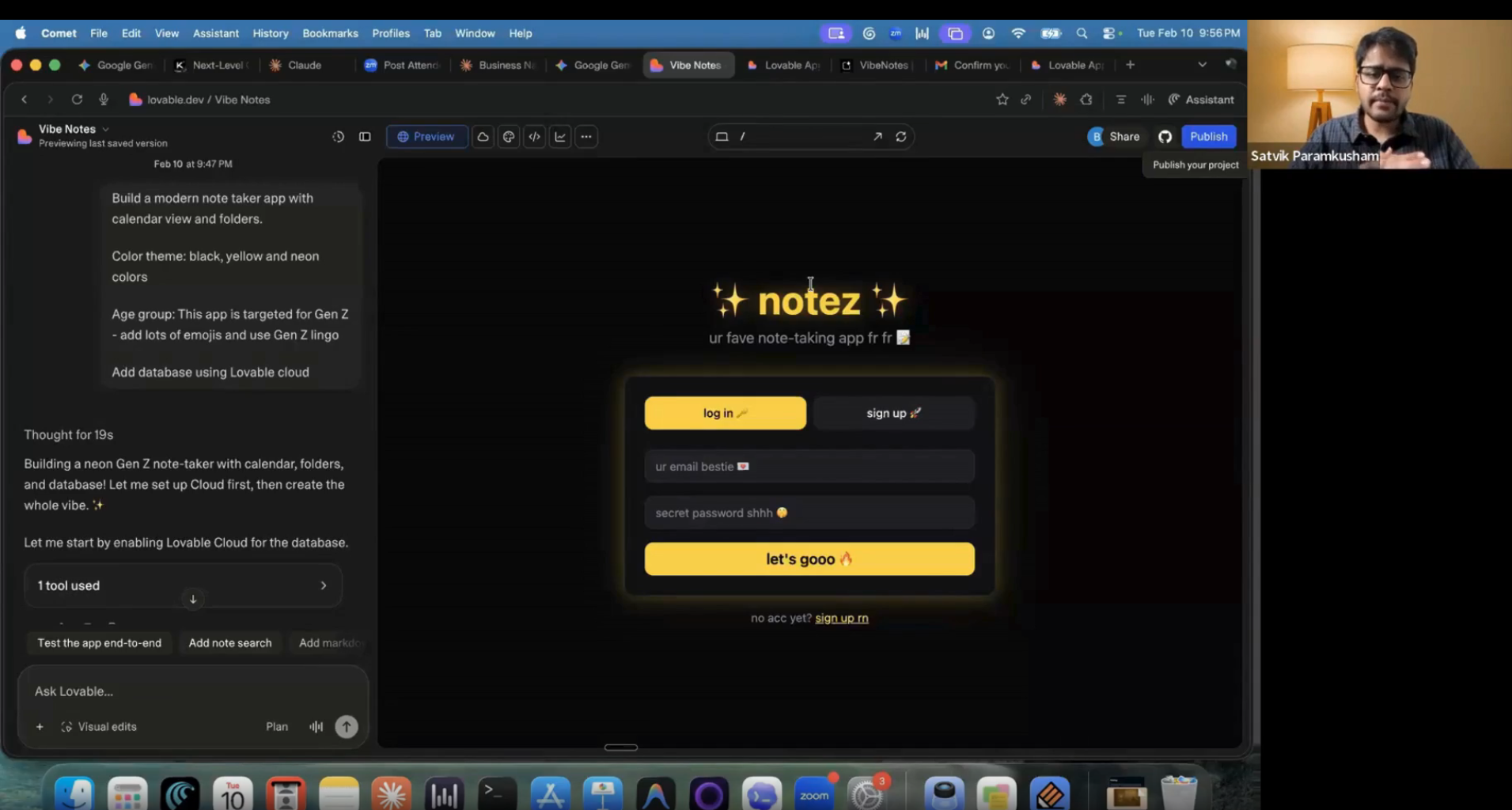
3. A Modern Note-Taking SaaS App
Tool used: Lovable
For our final demo, we graduated from simple landing pages to full-fledged applications. We built a note-taking app with:
• Calendar integration for tracking goals
• Folder organization
• Database connectivity
• Custom color theme (yellow and neon green!)
This is where AI coding gets serious. We weren't just creating pages—we were building software with real functionality, data persistence, and user workflows.
The Three Levels of Vibe Coding
We categorized AI coding tools into three levels based on complexity:
Level 1: Simple Landing Pages & Portfolios
Best for: Personal branding, small business websites, quick project showcases
Time to build: 1-5 minutes
Tools:
• Claude with Artifacts → https://claude.ai
• Gemini with Canvas → https://gemini.google.com
Pro tip: Gemini offers generous free limits (18 months with GEO), making it perfect for beginners.
What you can build:
• Portfolio websites
• Business landing pages
• Simple games and interactive demos
• Single-page applications
Level 2: Interactive Apps with Dynamic Features
Best for: Dashboards, internal tools, SaaS MVPs, project management apps
Time to build: 30 minutes to 2 hours
Tools:
• Lovable (our go-to for SaaS prototypes) → https://lovable.dev
• Bolt → https://bolt.new
• v0.dev (excellent for component design) → https://v0.dev
What you can build:
• Data visualization dashboards
• CRUD applications (Create, Read, Update, Delete)
• Apps with database integration
• Basic authentication flows
• Multi-page applications with routing
Level 3: Full-Stack Production Applications
Best for: Complex applications with custom databases, authentication, APIs, and deployment pipelines
Tools: Cursor, Claude Code, custom AI workflows
We didn't cover Level 3 in detail during the workshop due to time constraints, but this is where you build production-grade software used by thousands or millions of users. This is what we teach in our Generative AI Launchpad course.
Key Insights from the Workshop
1. Anyone Can Be a Builder Now
We had product managers, designers, founders, students, and senior professionals—all building websites. The barrier to entry is gone.
The question isn't "Can I build this?" anymore. It's "What should I build?"
2. Prompt Quality = Output Quality
The better your prompt, the better your result. Instead of saying "Build a nice website," we learned to say:
"Build a modern SaaS landing page for a child neurology clinic with light blue, white, and soft green colors. Include testimonials, service sections, a contact form, and a clean, medical, child-friendly design."
Specificity wins.
3. No One Loses Their Job—But Everyone Must Adapt
We asked the audience: "Who will lose their job first—product managers, designers, or developers?"
The answer:
• Product managers who learn AI can now develop their own ideas
• Designers who embrace AI can prototype and deploy instantly
• Developers who upskill can become full-stack product builders
The only people who will lose their jobs are those who refuse to learn AI.
4. 90-95% of Code at Build Fast with AI is AI-Generated
Our founder, Satvik, shared that Build Fast with AI has built 300+ AI applications for 25+ companies—from simple POCs to apps used by millions. Almost all of that code was written by AI.
How to Get Started Today
Step 1: Pick Your Tool
• For quick landing pages: Claude or Gemini
• For SaaS apps: Lovable or Bolt
Step 2: Start with a Clear Idea
Write down what you want to build. Be specific about:
• Purpose (e.g., "portfolio site for a photographer")
• Design preferences (colors, style, vibe)
• Key features (contact form, gallery, testimonials)
Step 3: Prompt and Iterate
Give your tool the prompt. Review the output. Make adjustments with follow-up prompts like:
• "Add a contact form"
• "Change the color scheme to navy and gold"
• "Make the buttons more prominent"
Step 4: Deploy and Share
Most tools give you a shareable link instantly. For custom domains and advanced hosting, tools like Lovable and Bolt offer deployment options.
Complete Tool Reference Guide
Claude with Artifacts
🌐 Website:
What it does: Creates complete, working websites using natural language prompts. Generates HTML, CSS, and JavaScript in real-time.
Why we love it: Claude understands context exceptionally well. You can have a conversation with it, make iterative changes, and get professional results fast.
Best for: Landing pages, portfolio sites, business websites, small interactive demos
Pro tip: Use natural language refinements like "Make the header sticky" or "Add a testimonials section" rather than editing code manually.
Gemini with Canvas
🌐 Website:
What it does: Similar to Claude, but with Google's AI. Offers Canvas mode for visual website building.
Why we love it: Generous free limits (18 months with GEO subscription), making it perfect for beginners who want to experiment without cost barriers.
Best for: Games, interactive demos, creative projects, experimental builds
Pro tip: Enable Canvas mode before starting. This gives you visual controls and instant previews.
Lovable
🌐 Website:
What it does: Builds full-stack web applications with databases, authentication, and deployment-ready code.
Why we love it: This is where you go from landing pages to real SaaS products. Lovable handles complex features like user accounts, data storage, and routing.
Best for: SaaS MVPs, internal tools, dashboards, productivity apps, CRUD applications
Pro tip: Treat Lovable as your "launch button." Once your design is finalized, use Lovable to turn it into a deployable product.
Bolt
🌐 Website:
What it does: Converts designs and ideas into production-ready code automatically. Similar to Lovable but with a different workflow.
Why we love it: Fast prototyping with minimal friction. Great for validating ideas quickly.
Best for: MVP creation, rapid prototyping, full project generation
Pro tip: Use Bolt after finalizing your design to avoid rework. It's most efficient when you have a clear vision.
v0.dev
🌐 Website:
What it does: Generates complete website sections and UI components using text prompts.
Why we love it: Design is where most beginners struggle. v0.dev skips Figma, CSS, and layout headaches entirely.
Best for: Homepage layouts, pricing sections, dashboards, UI component libraries
Pro tip: Be specific in prompts. Instead of "nice website," say "modern SaaS landing page with pricing cards and testimonials."
Final Thoughts: The Future is Already Here
This workshop proved something important: building is no longer a privilege—it's a skill anyone can learn in minutes.
We watched 200+ people-product managers, designers, students, founders, senior professionals—build working websites in real-time. Some had never written a line of code before. By the end of the workshop, they were deploying landing pages, creating games, and prototyping SaaS apps.
The question is no longer "Should I learn to code?" It's "What should I build next?"
So here's your challenge: Pick one tool from this blog. Spend 10 minutes building something. It doesn't have to be perfect. It doesn't have to be complex. Just build.
Because the barrier to entry is gone. The only thing standing between you and your idea is action.
Want to Go Deeper?
This workshop was just the beginning. We covered Levels 1 and 2 of vibe coding, but there's so much more:
• Building production-grade full-stack applications
• Custom authentication and database architecture
• AI-powered code generation for complex business logic
• Deploying and scaling apps for real users
If you're serious about mastering AI-powered development, check out our Generative AI Launchpad course. We're enrolling for the February cohort with special discounts.
— Build Fast with AI Team

